
Does Over the Hill work on Steam Deck?
Yes. Funselektor’s October 14 launch announcement explicitly lists Steam Deck support alongside Windows and GeForce Now. The older developer FAQ describes Deck play through Proton; support is not a claim that a native Linux build exists.
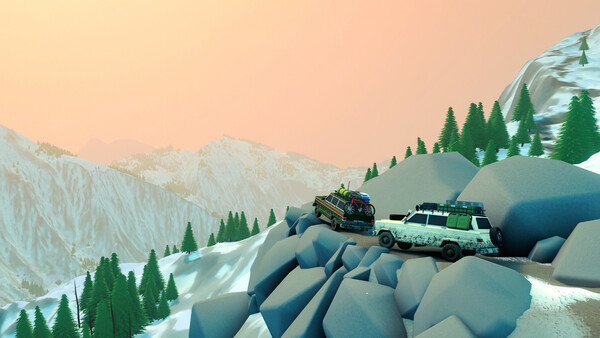
This guide uses the released game’s announcement and a player report posted after launch. We have not benchmarked the game ourselves. The official screenshots on this page show the game, not a Steam Deck performance capture.
A launch-day configuration to try
| Setting | Reported value | How to use it |
|---|---|---|
| Resolution | 720p | Use as a starting point; check HUD readability. |
| Graphics preset | Low, with FSR3 | The author did not specify the FSR quality mode. |
| Frame-rate limit | 45 FPS | Test consistency before trying a higher cap. |
| Vegetation | One notch above Low | Return to Low first if that change hurts consistency. |
| Bloom / spotlight shadows | Enabled in the report | Optional visual choices, not required performance fixes. |
Steam user Waldherz reports testing both LCD and OLED Decks with the configuration below after the game launched. They describe a mostly maintained 45 FPS cap with brief stutters when entering areas or turning the camera quickly. This is one player’s observation, not a guaranteed frame rate.
The report does not give a SteamOS version, Proton version, exact game build number, measured route or FSR quality mode. Those gaps matter when comparing results. Copy the starting configuration, not the expectation that every area will behave identically.
Source: Waldherz: release-day Steam Deck settings · October 14, 2026 ↗
Check the result on your own Deck
Use a short, repeatable route rather than judging performance while parked. Drive through vegetation, turn the camera and enter another area, then repeat the same route after changing one setting. A single high number is less useful than how the drive feels throughout the route.
Keep the resolution and preset fixed for the first pass. Watch Steam Deck’s performance overlay for sustained dips or uneven frame delivery. If the cap is not held reliably, return vegetation to Low, test the optional effects separately, or try a lower cap that your route can sustain. These are tuning suggestions, not additional measured presets.
Only raise quality once the baseline feels consistent. If you experiment with a different upscaling mode, check small UI text as well as the road ahead. A sharper screenshot is not worth a HUD you cannot comfortably read in motion.
Source: Waldherz: release-day Steam Deck settings · October 14, 2026 ↗
LCD versus OLED: do not promise 60 FPS
The same author found more headroom on the OLED model, but their report does not establish locked 60 FPS across the game. A short test in one area cannot settle performance in every region, weather condition or co-op session.
Use the model you own as the reference. Record your game version and display settings when comparing reports, and keep battery-life expectations separate from frame rate: brightness, battery condition and system limits can change power use. No battery-life guarantee is made here.
Source: Waldherz: release-day Steam Deck settings · October 14, 2026 ↗
PC stutter: narrow down the problem
For Windows, Steam currently lists an i5-7400 or Ryzen 5 2600, 8 GB RAM, and GTX 1070 or Radeon RX 5600 as minimum hardware, with 4 GB of storage. These are requirements, not a promise of a particular frame rate at your chosen settings.
First distinguish a long-lasting low frame rate from a brief hitch on entering a new area. Repeat the same route at a lower preset. If that changes the sustained frame rate, tune visual settings one at a time. If a hitch happens at the same boundary regardless, record that location rather than claiming the lower preset fixed it.
Keep a note of hardware, resolution, preset, game version and whether you were solo or online. Update the game, compare the same scene and keep the original settings available so you can undo an unhelpful change. Do not delete a save or install an unofficial patch for an unexplained performance issue.
Source: Steam store ↗
When to report a problem
If the game will not start, controls fail, or a repeatable hitch interrupts play, use the official Steam discussions. Include Deck LCD/OLED or PC hardware, SteamOS/Windows version, the game build if visible, your settings and the exact place or action that reproduces it.
For a Deck report, say whether you changed the default compatibility settings. If you try a workaround, write down the previous value and change one thing at a time. That makes a useful report and gives you a way back if the change makes things worse.
Choose your next stop.
A few things worth knowing
Does Over the Hill support Steam Deck at launch?
Yes. The October 14 developer announcement explicitly lists Steam Deck support.
What settings should I start with?
A release-day player report used 720p, Low with FSR3 and a 45 FPS cap, plus a small vegetation increase, bloom and spotlight shadows. Treat it as a configuration to test on your own Deck, not a guaranteed result.
Will it run at a locked 60 FPS on OLED?
The evidence used here does not establish that. The player reported more OLED headroom, but no repeatable full-game locked-60 benchmark.
Are old demo performance reports still useful?
They can explain earlier problems, but they are not benchmarks for the released game. Compare the current build, device, settings and route.
Published 2026-10-15. Updated October 15, 2026. Official statements and attributed player reports are distinguished above. We have not independently benchmarked or played the release build. Send a correction →